The new version of FotoSketcher (v 3.30) is now available. As usual, you can head over to http://fotosketcher.com/download-fotosketcher/ to download either the full (with setup) or portable 32bit versions.
If have a 64bit bit version of Windows, I encourage you to use the 64bit versions of FotoSketcher, available from the official mirror website here: https://www.fosshub.com/FotoSketcher.html
You will find a list of the new features in my previous post: http://fotosketcher.blogspot.fr/2017/01/beta-version-of-fotosketcher-330.html
I hope you will have fun experimenting with FotoSketcher :) Be creative!
All the best,
David

Screenshots of FotoSketcher 3.30:

drag the red line with your mouse to stop any effect at x%
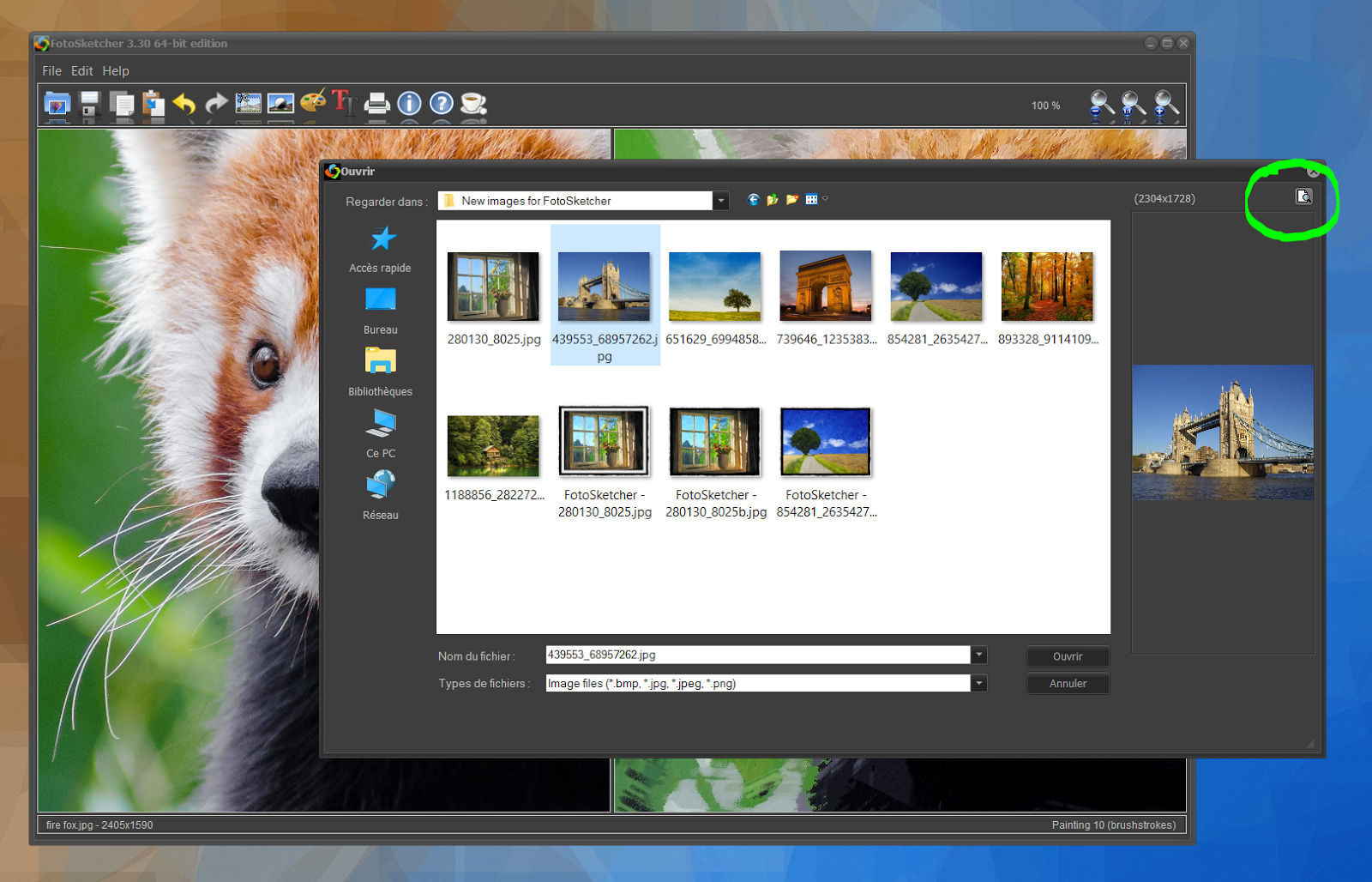
when opening a source image, click in the top right corner for a large preview

in painting 10, load custom brushes (in transparent .png format)
you can also double the size of the brushstrokes (check the x2 tick box)

if you press the END key on your keyboard, you can toggle long filenames ON or OFF

with long filenames ON, the effect used and associated parameters will be saved in the filename

obligatory cute red panda :)


