Saturday, December 25, 2010

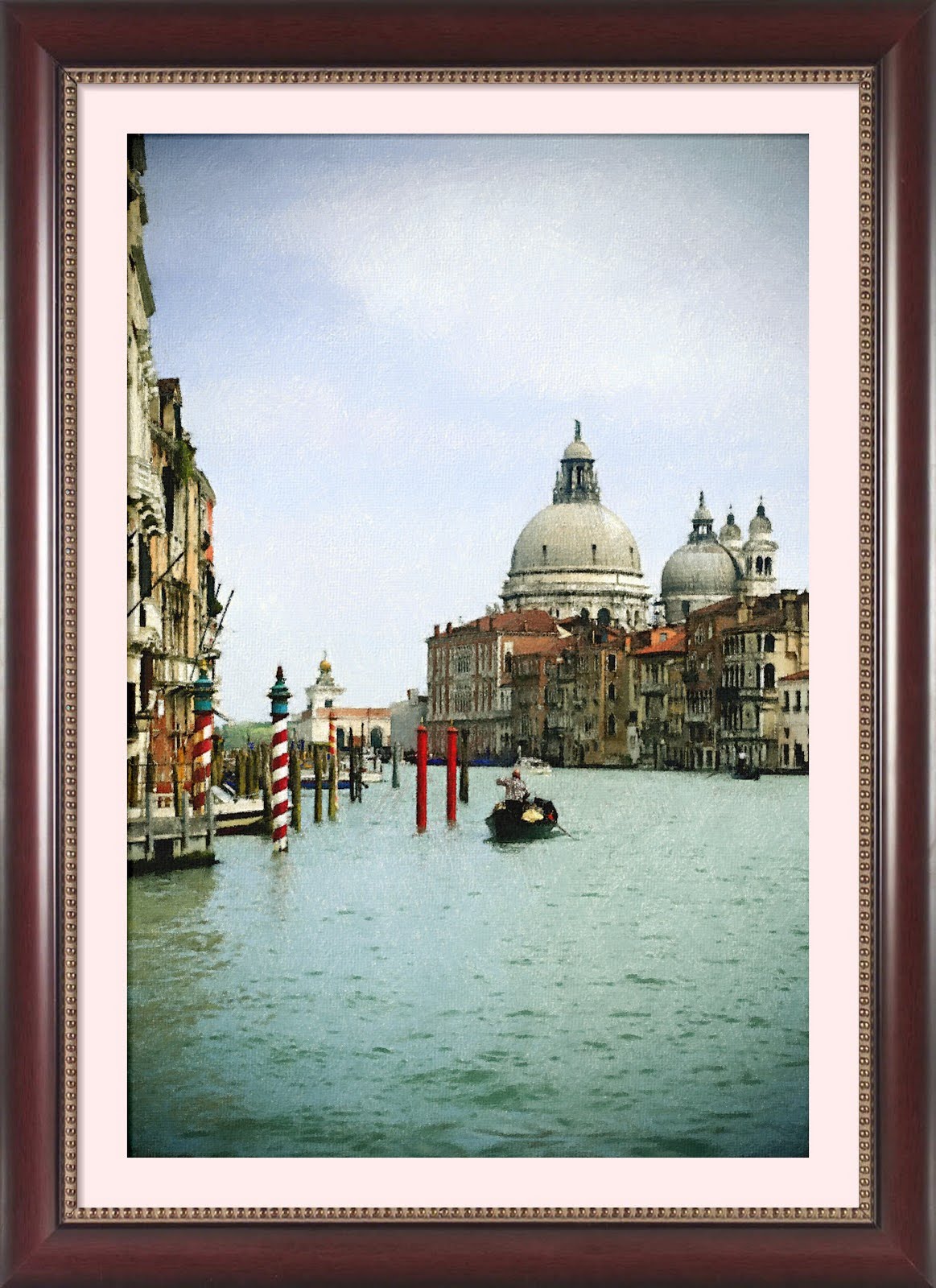
New beta available - FotoSketcher Christmas edition ;-)

Season's greetings to all!

I've just uploaded a new beta version of FotoSketcher 2.00 (http://www.fotosketcher.com/FotoSketcher_beta.exe).

This version now supports 9 languages. I've ironed out a lot of small bugs and made the interface more responsive.

In Painting 7, if you want to get a much higher number of brushstrokes (warning, this will be slow), you can double-click on the number of brushstrokes (to the right of the slide bar):

Apart from some more work that needs to be done internally on the undo/redo feature, this beta is very close to release. Unless of course, someone finds more bugs!


original photo credit: http://www.sxc.hu/photo/1325636

All the best,

David

Tuesday, December 14, 2010

Calling for a little help (translating FotoSketcher)

Hi all,

Thanks to some kind users, FotoSketcher will soon be available in English, French, German, Italian, Russian, Polish and Czech (and maybe more).

If you are willing to translate into other languages (or know someone who might) I would be very grateful if you could contact me.

Of course your name would appear in the credits section of the program: you'll be famous ;-)

There are around 180 words or short sentences to translate. If you are courageous enough to undertake this translating task, please don't hesitate to drop me a line at contact@fotosketcher.com

Best regards,

David

Thursday, December 9, 2010

FotoSketcher 2.00 early beta available

Hi all,

As promised I have just uploaded an early beta of FotoSketcher 2.00. Here is the download link: http://www.fotosketcher.com/FotoSketcher_beta.exe

It is still a bit rough around the edges and only supports English and French for the time being. The undo/redo function is also a little bit funny sometimes.

BUT apart from that it is perfectly usable and as far as I know stable.

Now for the goodies! The new features present are:
  • Crop
  • Rotate (in 90° increments, lossless)
  • improved interface (12 skins and flicker-free icons)
  • one-click automatic contrast adjustment (based on histogram stretch and unsharp mask)
  • check for updates
  • automatic saving of window size, position and chosen skin
  • 4 new realistic frames
  • more responsive preview
  • new custom brushes loading for Painting 7 effect
  • new old photo effect (sepia, vignette, old photo texture)
As usual, I would be very grateful if some brave souls were to test this beta version and let me know (either by mail at contact@fotosketcher.com or on this blog) if they find any bugs.

All the best,

David

Monday, November 15, 2010

Loading custom brushes in FotoSketcher 2.0

Hi,

In addition to the new functions previously mentioned (http://fotosketcher.blogspot.com/2010/10/working-on-fotosketcher-200.html), the next version of FotoSketcher will support custom brushes (in bmp, jpg or png format) for the Painting 7 (brushstrokes) effect.

The user defined brushes can be grayscale images (up to 512x512 pixels) where lighter pixels mean transparent areas and darker pixels mean (yes, you guessed right) opaque areas. Here is an example of a square brush, with a transparent area around it:The Painting 7 effect with this brush can create a kind of mosaic (click on the picture to view in full size):


Regards,

David

Sunday, October 31, 2010

Working on FotoSketcher 2.00

Hi all,

Just a quick word to let you know that I'm busy working on the next version of FotoSketcher (it will be version 2.00). Here are some of the new features you will find:
  • lots of new interface languages (thank you to all the users who kindly offered their help!)
  • a crop tool
  • a rotate tool
  • improved interface
  • automatic image adjustment (based on histogram stretch)
  • check for updates
  • automatic saving of window size, position and chosen skin
  • new realistic frames
  • maybe more...


Hopefully, version 2.00 will be ready in a few weeks. In the meantime, here is one of my 'manual' sketches. It is supposed to represent Steve McQueen :-)


All the best,

David

Friday, September 24, 2010

FotoSketcher 1.98 is officially released

Hi all,

After a little tweaking (special thanks to user Kempton for his help in spotting a bug), version 1.98 of FotoSketcher is officially released.

Here are the new features and changes in this release:
- Two new cartoon effects
- Full undo/redo function
- Improved interface (with twelve different skins)
- New application and toolbar icons
- German language added (translation by Josef KASPARBAUER)
- Full PNG support
- Bug fixes

As usual, FotoSketcher can be downloaded from the official website: http://www.fotosketcher.com/


Best regards,

David

Thursday, September 23, 2010

FotoSketcher 1.98 release candidate

Hi!

At long last, after a lot of debugging and 'behind the scenes' coding, I have finally completed the latest version of FotoSketcher.

If you want to test it before everyone else, you can download it here: http://www.fotosketcher.com/FotoSketcher_beta.exe

Here are some of the changes:
- 2 new cartoon effects
- 12 different skins
- full PNG support (load and save)
- full undo/redo
- new application icon and splashscreen
- German language support

I would be very grateful if you could let me know if you find bugs (I'm bound to have let some in)!

All the best,

David

Wednesday, September 8, 2010

Still working on version 1.98...

Hi all,

I'm still busy working on version 1.98. On top of the previously mentioned new functions, there will also be one or two new effects and some improvements to the interface. Here is an early screenshot of the main form:

Stay tuned for more news soon!

Regards,

David

Thursday, July 22, 2010

FotoSketcher 1.98 early beta: full undo/redo and German language

Hi,

I've just uploaded an early beta version of FotoSketcher 1.98 (as usual, you can download it here: http://www.fotosketcher.com/FotoSketcher_beta.exe).

So, what's new? Well, no new effect yet, but a full undo/redo function (up to 255 steps!). Also, a kind FotoSketcher user from Germany, M. Josef Kasparbauer has translated all the terms into German.

Here is a screenshot with the German language selected:

If you are willing to test the new beta version, please don't hesitate to send me your feedback either on this blog or by e-mail (contact@fotosketcher.com).

Best regards from the beautiful city of Lyon,

David

Thursday, June 24, 2010

FotoSketcher 1.97 officially released

Hi all,

FotoSketcher 1.97 is now officially released and can be downloaded from http://www.fotosketcher.com/

The new feature in this version is the "Oil Pastel Sketch" effect. Here is an example (original photo credit www.sxc.hu):

And here are the parameters I used:


Have fun :-)

David