Saturday, March 7, 2015

FotoSketcher 3.00 is officially released. 100% free as always.

Dear all,

FotoSketcher 3.00 has been a bit long in the making but your patience is now rewarded :-)

You can download the official version (with setup or standalone) here: http://www.fotosketcher.com/download-fotosketcher/

New features and changes in version 3.00:
- New Painting 10 (brushstrokes) effect
- New "invert colors" function (in the Edit menu or CTRL+I shortcut)
- Integration of the "invert colors" function in the script mode (F5)
- Improved Painting 4 responsiveness
- Cosmetic changes to the user interface (especially when the program is maximized)
- New keyboard shortcuts (left, right and up keys) to move the divider between the left and right panes. Works when the main window is focused, even if an effect is running.

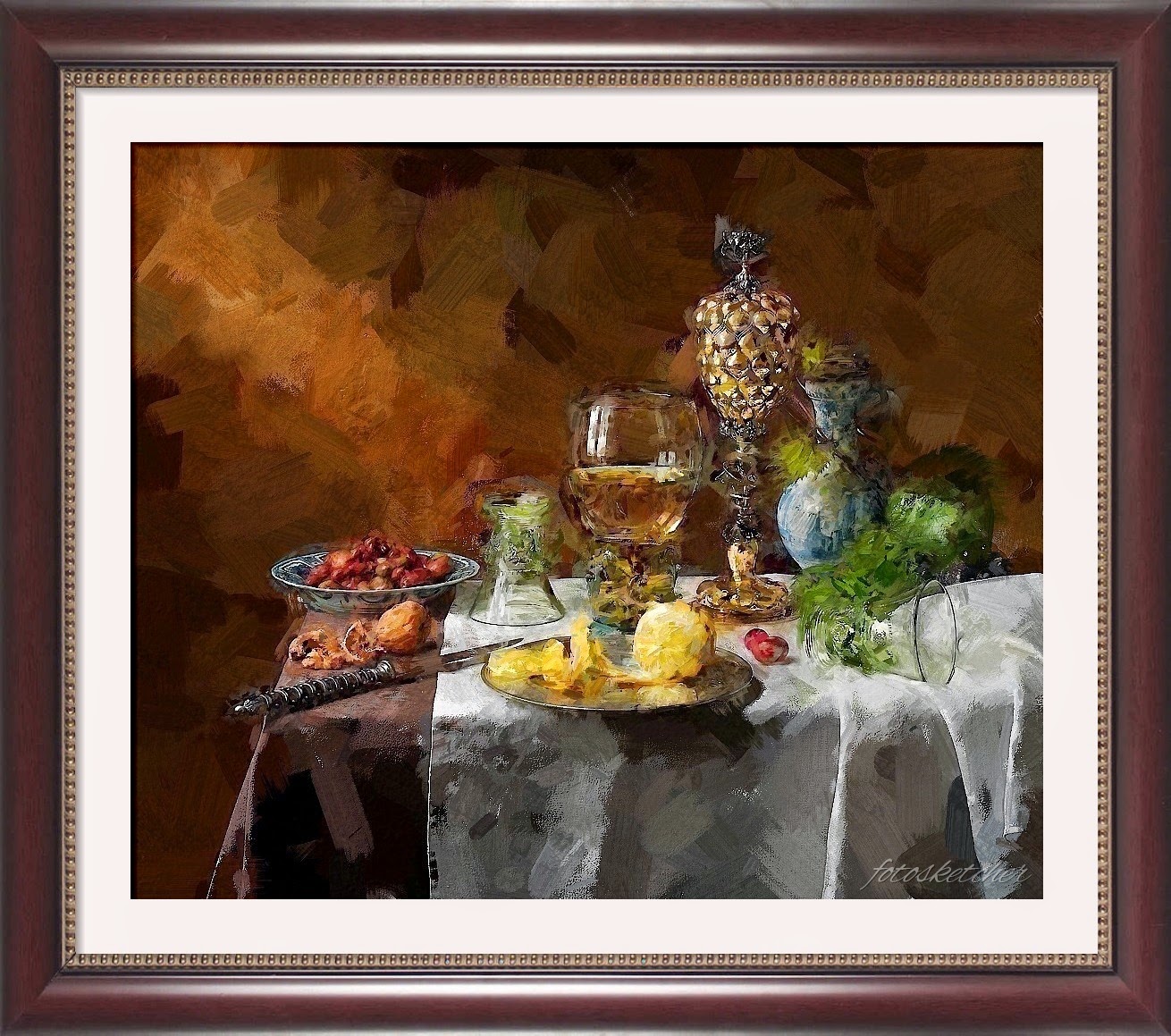
Here are a couple of examples of the new effect:


Have fun with FotoSketcher!

David

Friday, March 6, 2015

FotoSketcher 3.00 Release Candidate

Hi,

FotoSketcher 3.00 is finally almost ready to be released officially. You can download a stable beta version here: http://www.fotosketcher.com/FotoSketcher_3.00_RC1.exe

Here are the main changes :
- New Painting 10 (brushstrokes) effect
- New "invert colors" function (in the Edit menu or CTRL+I shortcut)
- Improved Painting 4 responsiveness
- Cosmetic changes to the user interface (especially when the program is maximized)

Example of the new Painting 10 effect (click on picture to view full size):
Original photo credit: Vincent MARTIN

As usual, I welcome your feedback :-)

Best regards,

David

Monday, February 16, 2015

FotoSketcher 3.00 early preview *** updated ***

Dear all,

If you like to be at the bleeding edge, here is an early alpha version of FotoSketcher 3.00, with a brand new painting effect: http://www.fotosketcher.com/FotoSketcher_3.00_alpha3.exe

The new effect Painting 10 (brushstrokes) is functional and nearly finalized. I have not had time to integrate it in the script engine or the manual brush* yet, but if you only use it from the main drawing screen, you should be fine.

Here is an example of the effect:


Have fun :-)

Best regards,

David

* as of 02/22 the manual brush is now functional with Painting 10
* as of 02/23 the code for Painting 10 has been optimized (33% faster) - still a bit slow ;-)

New example:

Friday, January 16, 2015

Upcoming painting effect in FotoSketcher 3.00

Hi all,

I am currently working on FotoSketcher version 3.00, which will include a new painting effect. Brush placement still needs some tweaking (for now too many details are lost in salient areas), but I think the result holds promise.
Here is an early example on the FotoSketcher parrot.
Best regards,

David

Monday, January 5, 2015

Happy New Year!

Dear FotoSketcher users,

I wish you all a very Happy New Year!


I am hard at work on version 3.00 and I hope to have a working beta version for you to test sometime in 2015!

All the best,

David

Wednesday, December 24, 2014

Merry Christmas and Happy Holidays!

Hi all,

I have been making progress lately on a new algorithm which will allow me to create synthetic brushtrokes with variable curvature. It is a bit early yet for me to show an example, but I think it will look quite convincing.
The idea is to create a new effect like Painting 7 (brushstrokes), but with different stroke placement and thicker paint. Not quite impasto, but hopefully pleasant enough...

In the meantime, I wish you all a Merry Christmas and Happy holidays! Here is a watercolor from a photo I took a few months back in my hometown of Lyon(s), in the Croix-Rousse area:


Best regards,

David

Monday, December 8, 2014

The trials and tribulations of a hobbyist programmer

Hi all,

I know, I know, long time no see... I've been pretty busy lately and could not devote as much time as I would like to FotoSketcher. Such is the plight of the hobbyist programmer ;-)
At least, I am not alone as I have recently learnt that I am part of a large group of 7.5 million developpers worldwide (cf. http://www.computerworld.com/article/2487084/it-careers/the-rise-of-hobbyist-programmers.html).

As for FotoSketcher, I still find time to do some research, think up new ideas, test new algorithms. Once in a while an idea is not too shaky and its translation into code within my capacity as a developper. That's when you see a new effect in FotoSketcher!

But that is just the tip of the iceberg. In the last couple of months alone, I have tested, refined and discarded new algorithms, which simply did not hold up to my expectations. But that's OK. It is part of the fun and a failed idea often sends me on a completely different route, which might lead to a nice new effect.

I'm currently working on some realistic brush strokes to better emulate a hand painted look (using transparent textures, Bezier curves, new stroke placement ideas, etc.).  I don't know yet if that endeavour is going to be fruitful, but I'll keep you posted.

I had also tried a totally different approach, based on the merging of hundreds of different layers - made of geometric shapes - hoping the resulting image would coalesce into a arty approximation of the source image. Alas, the results were rarely up to scratch.

Here is one of the best abstract examples I could produce (click image to view in full size):


Well, it's back to the drawing board for me :-)

Best regards,

David

P.S. As usual, if you like FotoSketcher you are most welcome to buy a me a nice cup of coffee (or tea!).


Saturday, October 11, 2014

FotoSketcher 2.99 is officially released :-)

Hi all!

FotoSketcher 2.99 is now officially available for download. As always, FotoSketcher is 100% free for personal or commercial use.

Head to http://www.fotosketcher.com/download-fotosketcher/ to get either the full version (with setup and uninstall) or the portable version.

Here are the main changes in this release:
- addition of a new zoom function for the preview window, which allows you to test an effect on a larger portion of your source image
- correction of a few bugs, most importantly the impossibility in the text tool to add the letters "r" or "l"
- some user interface improvements
 
 
original photo credits: viljack yan (https://www.flickr.com/photos/112329597@N06/14501936936)
Enjoy!

All the best,

David

P.S. If you like FotoSketcher and feel generous, don't hesitate to fuel my cafeine addiction by buying me a nice cup of coffee (I drink tea too!).


Sunday, September 21, 2014

New preview zoom feature - sneak peek ***updated***

Hi all,

Just a quick word to let you know that I'm currently working on a new feature, which many of you have asked for: a zooming function for the preview window.

Here is an early screenshot:

This will allow you to get a preview of the current effect over a larger portion of the source image.

5th october 2014 update: 
The new zooming function is now finished and works. It allows you to zoom from 10% to 100% in the preview window. However, I still need to make a few modifications to some of the effects, as previewing at 10% zoom means processing a 2000x2000 pixel area (the preview window is 200x200 pixels) which can be slow for some effects. Sometimes FotoSketcher will be unresponsive during previewing, so I need to address this issue.
BTW, I have also corrected a small bug which prevents users from typing the letters 'r' or 'l' in the text tool.

Best regards,

David

Wednesday, September 10, 2014

FotoSketcher 2.96 is officially released.

Hi all!

FotoSketcher 2.96 is now officially available for download. As usual, FotoSketcher is 100% free for personal or commercial use.

Head to http://www.fotosketcher.com/download-fotosketcher/ to get either the full version (with setup and uninstall) or the portable version.

This release corrects a few visual glitches (mainly on menus) and improves the user interface.
A new feature has also been introduced; the ability to double the maximum size of brushstrokes in Painting 7 (thanks to FS user Marco for his suggestion) as shown below:


Here is an example made in FotoSketcher 2.96 (Painting 7 with larger brushstrokes + Painting 9):
Enjoy ;)

Best regards,

David